
Get tipped by fans worldwide.Paid to your own Stripe.
A tip page with alerts that pop up on your stream. Fans pay by card or their local payment method, tips go to a Stripe account in your name, and Furipay takes no fee.

How your tips reach you
Furipay runs on Stripe Connect in every country Stripe supports, so the money never sits with us.
- 1
Fans tip
They open furipay.me/yourname, pick an amount and pay by card or a local method such as PromptPay. No sign-up needed.
- 2
Stripe processes the payment
Cards from any country are accepted, and each tip is charged in your Stripe account's currency.
- 3
It lands in your Stripe account
The account is in your name. Cleared tips add up in your Stripe balance, and Stripe pays out the total to your bank.
Furipay takes nothing from your tips. You only pay Stripe's processing fee, which depends on your country and how your fan pays.
See Stripe pricing for your countryTHCreators in Thailand can also accept PromptPay slips, bank transfers and TrueMoney with no fee at all.
Every tip shows up on stream
Add one browser source to OBS or Streamlabs. Alerts, goals and leaderboards update the moment a payment is confirmed.
- 1Nene฿4,200
- 2Kuma฿2,750
- 3Mochi฿1,900
- Tip alerts
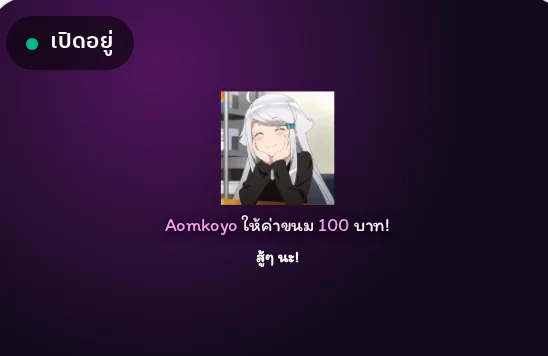
- Name, amount and message, with sound and text-to-speech.
- Tip goals
- A progress bar that fills with every tip.
- Top supporters
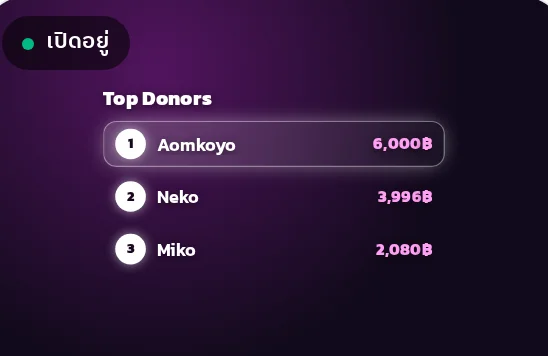
- A live leaderboard of your biggest fans.
- Subathon timer
- Every tip adds time to the clock.
Stream tools,all in one place
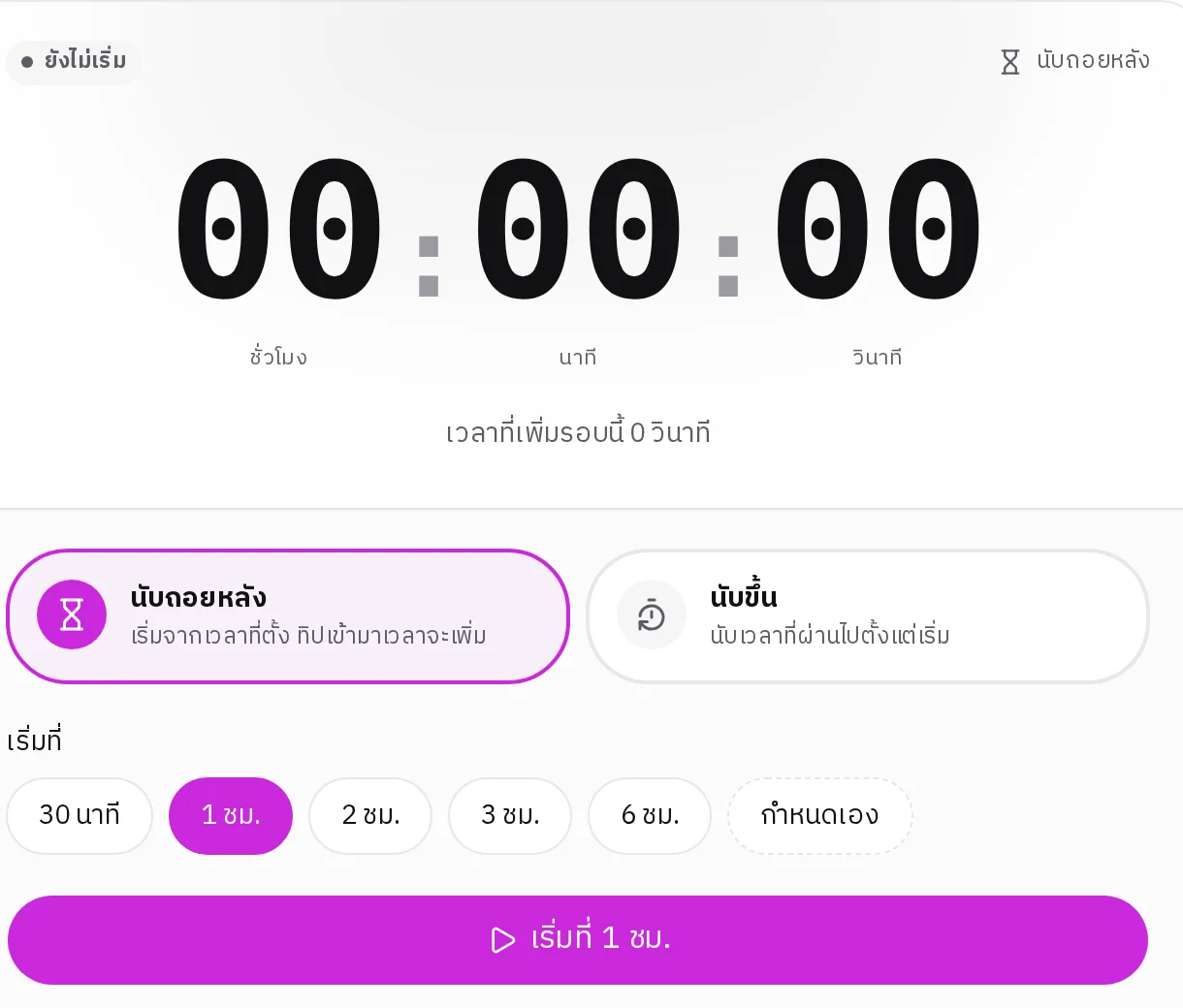
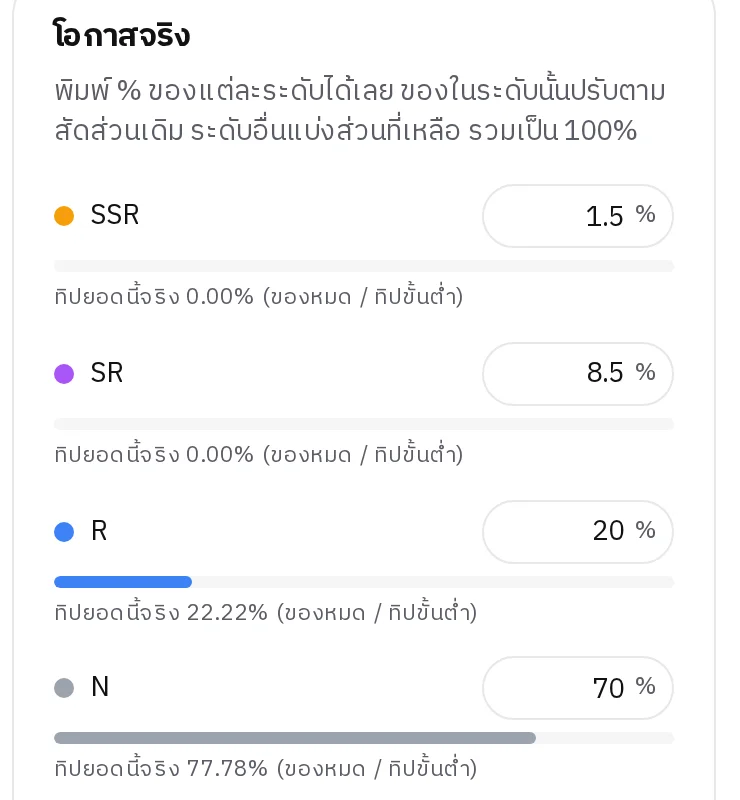
Add them to OBS as a Browser Source. A timer that adds or takes off time with every tip, with your own rates, tiers and caps. Gacha and a prize wheel that draw at the odds you publish, with stock and pity.
- Tip alerts
- Goal
- Recent tips
- Top supporters
- Timer
- Gacha
- Prize wheel
Your money stays in your control
Tips go straight to a Stripe account in your name, in your own currency. Furipay never holds your money, and Stripe pays you out on its schedule for your country.
- No Furipay fee and no minimum payout
- See every payment in your own Stripe dashboard
- In Thailand, Stripe tips reach your bank in about 7 business days as one combined payout. Other countries follow Stripe's schedule there.
Extra options for creators in Thailand
Your tip page can also accept PromptPay slips, bank transfers and TrueMoney, with no fee.
- PromptPay slip
- Bank transfer
- TrueMoney
Game top-up
Top up your games,right here on Furipay.
Official top-up packages for the games you play, sent straight to your game account. Pay with your Furipay credit.
- Clear prices on every package, with no hidden fees
- Enter your game ID and the top-up goes straight to your account
- Pay with Furipay credit, added by PromptPay, TrueMoney or a gift code
- Premium members get extra discounts on top-ups
Pricing
Tips are free.Premium is ฿49 a month.
Every creator gets a tip page with 0% Furipay fee (you only pay Stripe's fee for card tips). Premium adds deeper customization, unlimited alerts and extra game top-up discounts.
Free
฿0
- Furipay fee on tips: 0%
- Custom theme colour
- Overlay alerts per month: 50
- Payment channels: 2
Premium
Pay in your own currency฿40.83/ mo
Save 17%Total ฿490
Pay by PromptPay (scan the QR right here) or a card that renews.
Free vs Premium
| Feature | Free | Premium |
|---|---|---|
| Furipay fee on tips | 0% | 0% |
| Custom theme colour | ||
| Upload a banner | ||
| Upload a background | ||
| Full widget customization | ||
| Profile animation | ||
| Custom domain | Soon | |
| Overlay alerts per month | 50 | Unlimited |
| Payment channels | 2 | Unlimited |
| Webhook integrations | Soon | |
| Chat support | ||
| Extra game top-up discount |
Frequently asked questions
Ready to get tipped?
Set up your tip page, connect Stripe and go live today.